Complete List of All Official Plus-Plus Colors
Jul 9, 2026 · 4 min read · Plus-Plus Builds
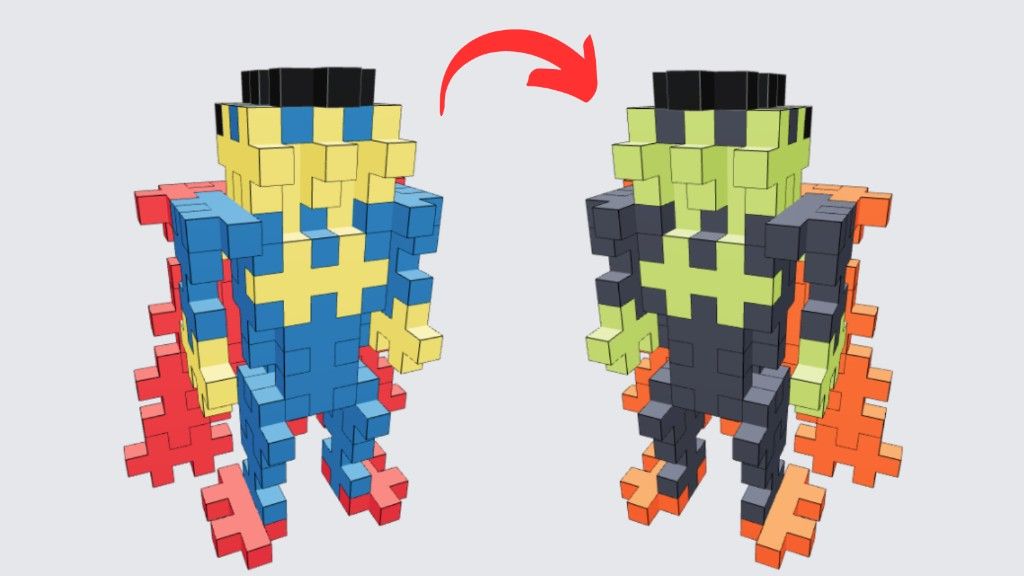
PlusPlusInstructions.com now includes every official Plus-Plus color. Explore the full color overview, track your collection, see what builds you can make, and generate alternative versions with your own colors.
Hello builders! 👋
One of the most requested features has finally arrived.
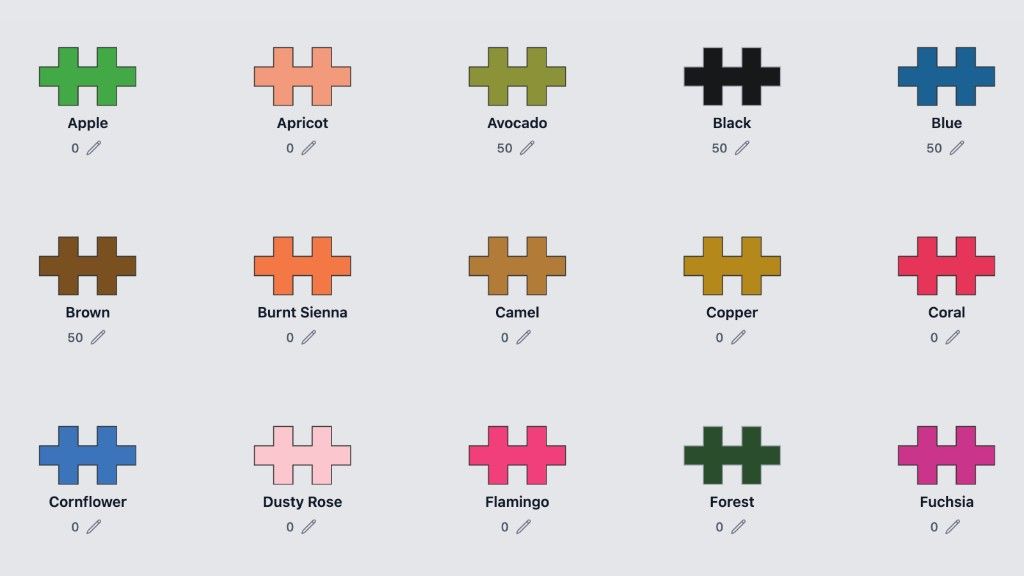
PlusPlusInstructions.com now includes every official Plus-Plus color, and you can browse them all on the complete Plus-Plus colors page.
The only exception is the glitter colors, which I'm still experimenting with to find a good way of representing digitally.
Whether you're creating 2D mosaics or designing complex 3D builds, you now have access to the complete official color palette.
Browse Every Official Plus-Plus Color
A brand-new color overview page has been added where you can explore every available Plus-Plus color in one place.
Explore all official Plus-Plus colors
Each color includes its official name, making it much easier to identify pieces in your own collection.
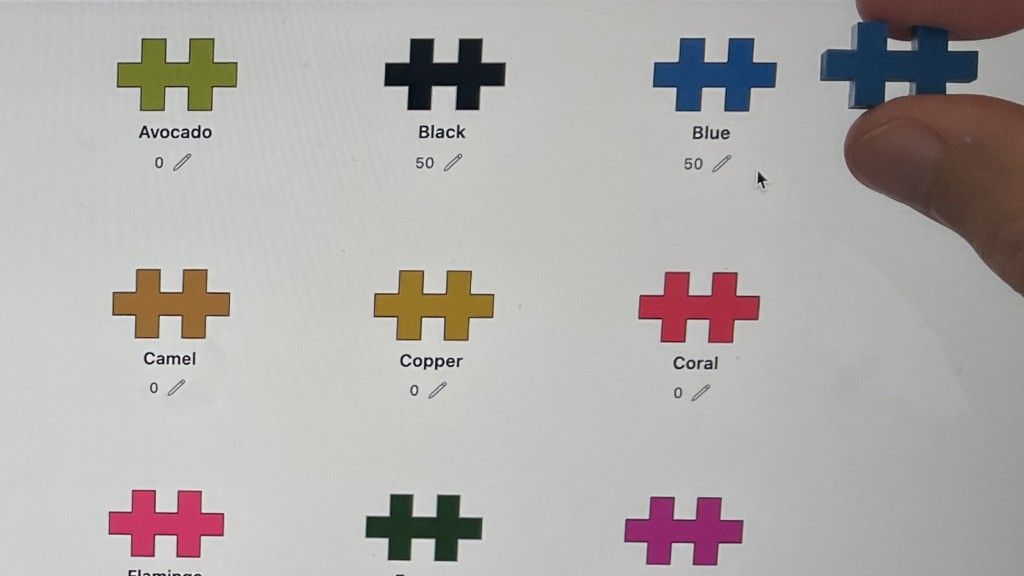
If you're unsure which color you have, you can compare your physical blocks directly with the colors shown on screen. I've done my best to make each digital color match the real Plus-Plus pieces as closely as possible.
Track Your Plus-Plus Collection
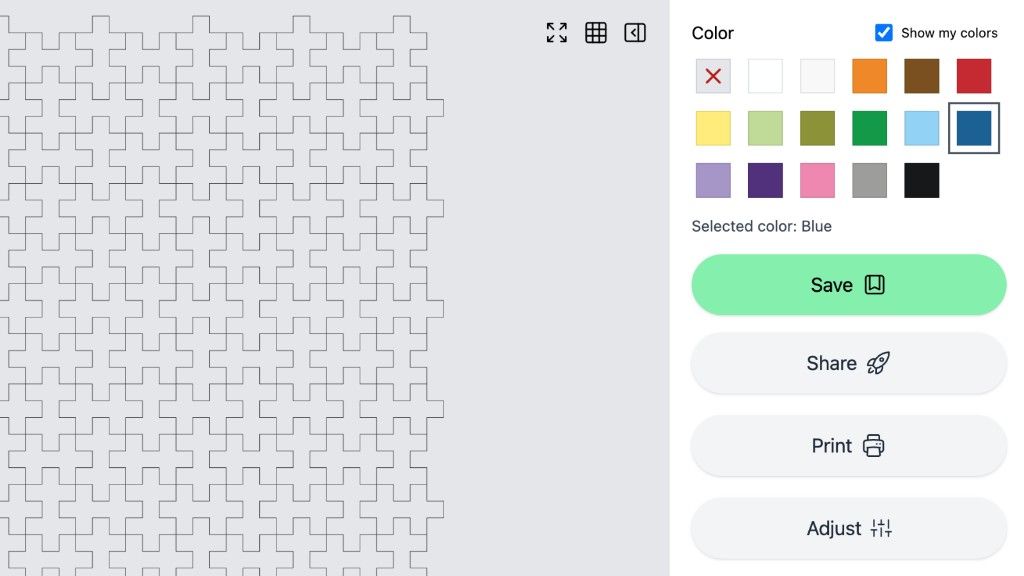
You can now add the Plus-Plus colors you own to your personal collection inside Creator Studio.
Keeping track of your inventory has several advantages:
- Know exactly which colors you own.
- Quickly see which builds you can make.
- Filter out builds that require colors you don't have.
- Build using your existing collection with confidence.
I highly recommend creating a free account so your collection is safely stored and available across all your devices.
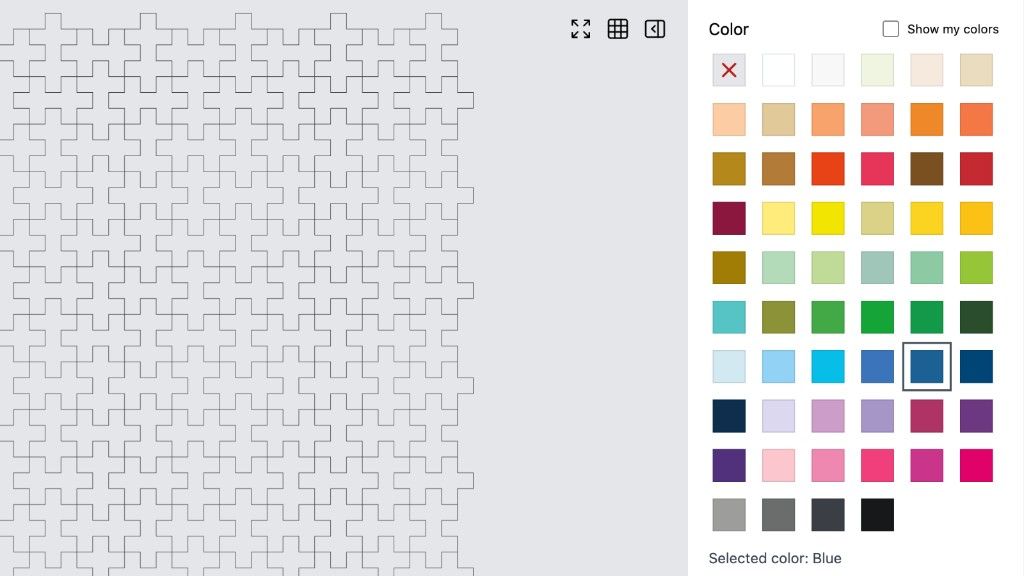
Use Every Color when you build
The complete color palette is now available throughout Creator Studio, including both the 2D and 3D builders.
With so many colors available, I've also made a few improvements to keep the interface clean and easy to use.
The Move Everything and Resize Grid tools have both been moved into the Adjust menu to make room for the larger color palette.
I also recommend adding your own collection before creating builds. This keeps the color picker much more manageable by prioritizing the colors you actually own.
I'm really excited to see the new creations you'll make with the expanded palette!
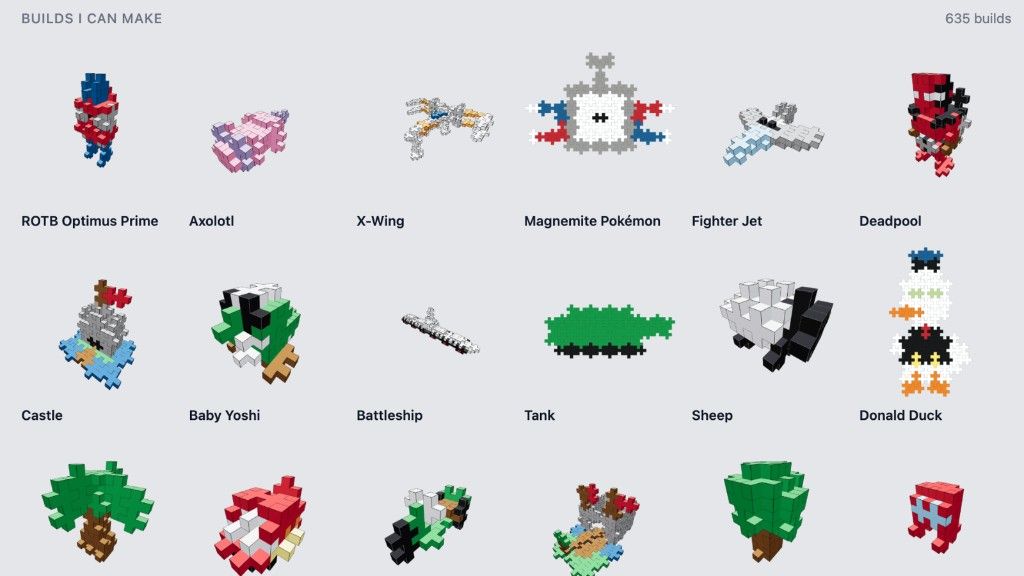
See Exactly What You Can Build
One of my favorite additions is the ability to instantly see which builds are compatible with your collection.
Instead of guessing whether you have enough pieces, Creator Studio can now show you exactly which instructions you can build using the blocks you already own.
This makes it much easier to start building immediately without discovering halfway through that you're missing an important color.
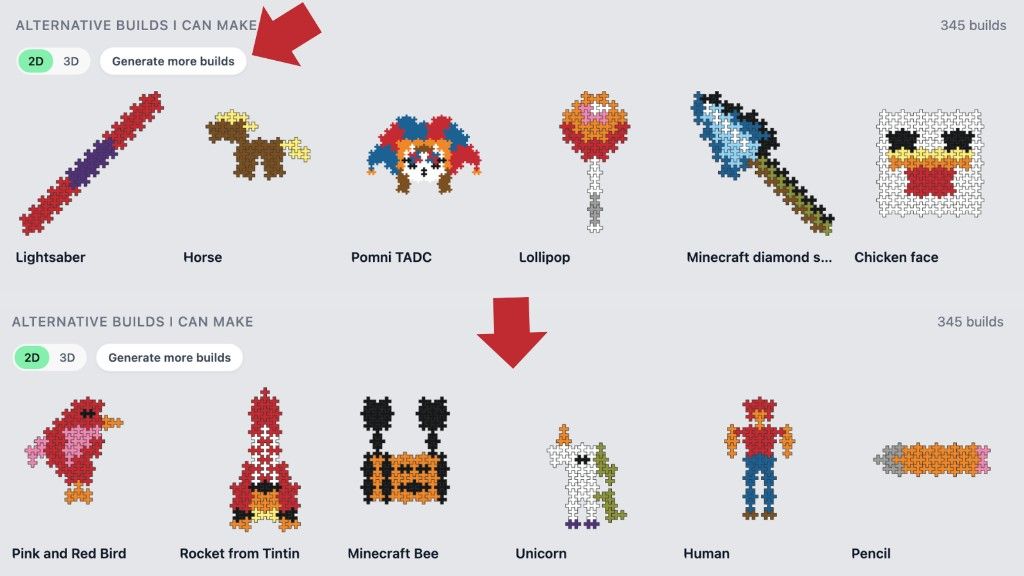
Generate Alternative Color Versions
Don't have every color needed for a build?
Creator Studio can now generate alternative versions by replacing missing colors with the closest matching colors from your own collection.
The result is often a completely unique version of the original build that still looks fantastic while being possible with the pieces you already own.
New alternative versions can even be generated daily, giving you fresh inspiration every time you visit.
More Colors Mean More Creativity
This update is about much more than simply adding new colors.
It's about making Creator Studio a smarter building companion that understands your collection and helps you get the most out of every Plus-Plus piece you own.
Whether you're creating original designs, following instructions, or looking for inspiration, these new tools should make the experience both easier and more enjoyable.
I'd Love Your Feedback
I hope you enjoy these new features!
If you have ideas for future updates or run into anything that could be improved, I'd love to hear from you.
You can leave feedback through the Creator Studio support page or leave a comment on my YouTube channel. I read every comment and always try to reply as quickly as possible.
Visit the Plus-Plus Builds YouTube channel
Thanks for being part of the community, and happy building! 🙌
About the author