Create Your Own Plus-Plus Instruction Book
Sep 4, 2026 · 5 min read · Plus-Plus Builds
Create your own custom Plus-Plus instruction book with up to 50 builds. Choose your favorite 2D and 3D instructions, design a cover, preview every page, and download your personalized building book.
Hey builders! 👋
I've received quite a few requests for an easier way to download multiple Plus-Plus instructions at once.
Especially from builders and families who want to reduce screen time and have physical instructions ready to use whenever they want.
And of course, I wanted to support that.
So I'm excited to introduce a brand-new feature in Creator Studio: Create Instruction Book! 📖
Create Your Own Collection of Builds
You can now create your very own Plus-Plus instruction book filled with the builds you want.
Simply go to Create in Creator Studio and select Create Instruction Book.
👉 Open Create Instruction Book
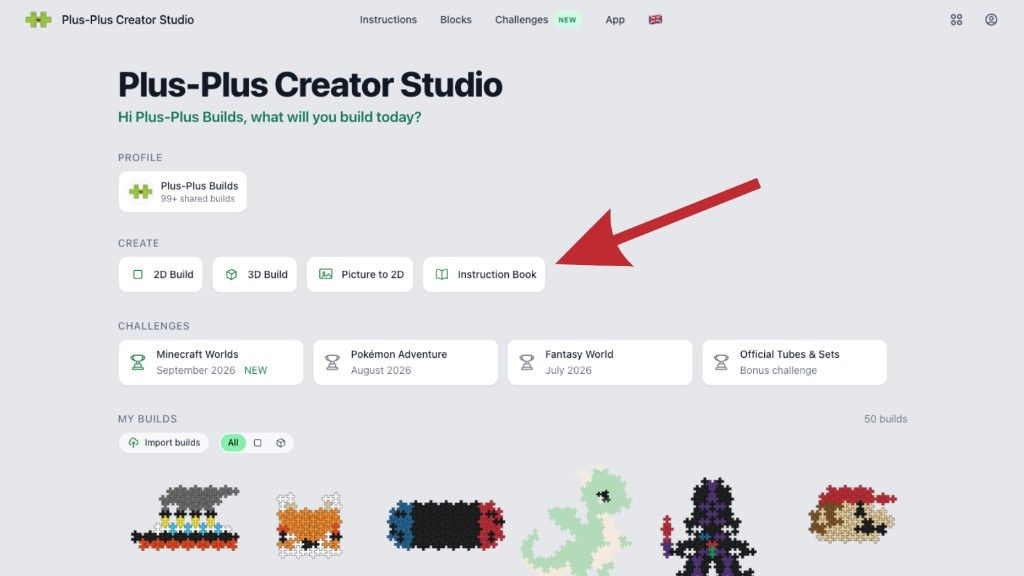
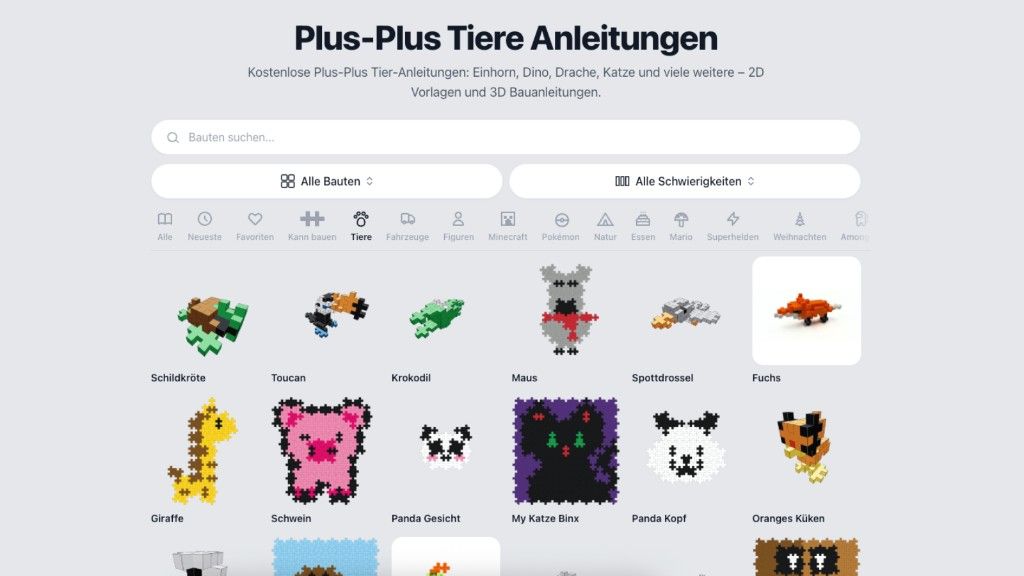
From there, click Add Builds and a new window will open that works similarly to the main instructions overview.
You can browse and filter through the available instructions to find exactly what you want to include in your book.
Choose Exactly What Goes Into Your Book
Finding the right builds is easy with the available filters.
You can filter by:
- Category
- Difficulty
- Build type
- 2D builds
- 3D builds
- Your liked builds
Once you've found something you like, simply select it and add it to your book.
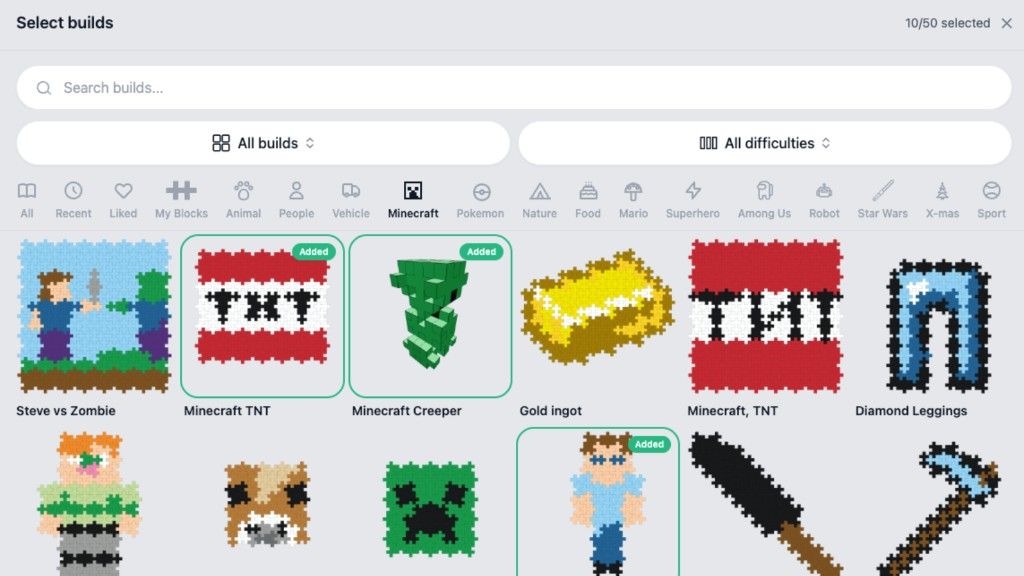
This makes it possible to create themed instruction books for almost anything.
For example:
- Your favorite animals
- A collection of easy builds for kids
- Advanced 3D creations
- Video game characters
- Fantasy creatures
- A personal collection of your favorite builds
Up to 50 Builds in One Book
Each instruction book can contain up to 50 builds, giving you plenty of room to create a complete collection.
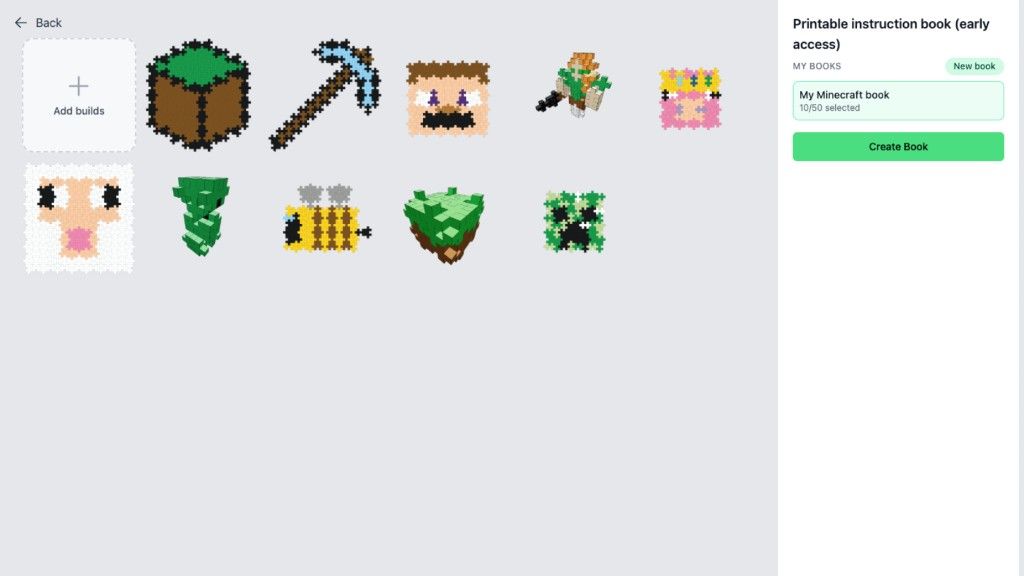
You can also create up to 10 different books, meaning you can organize your favorite instructions into different themes and collections.
Maybe one book for your kids, one for travel, one for easy builds, and another for your biggest and most challenging creations.
Design Your Own Cover
Once you've selected your builds, it's time to make the book your own.
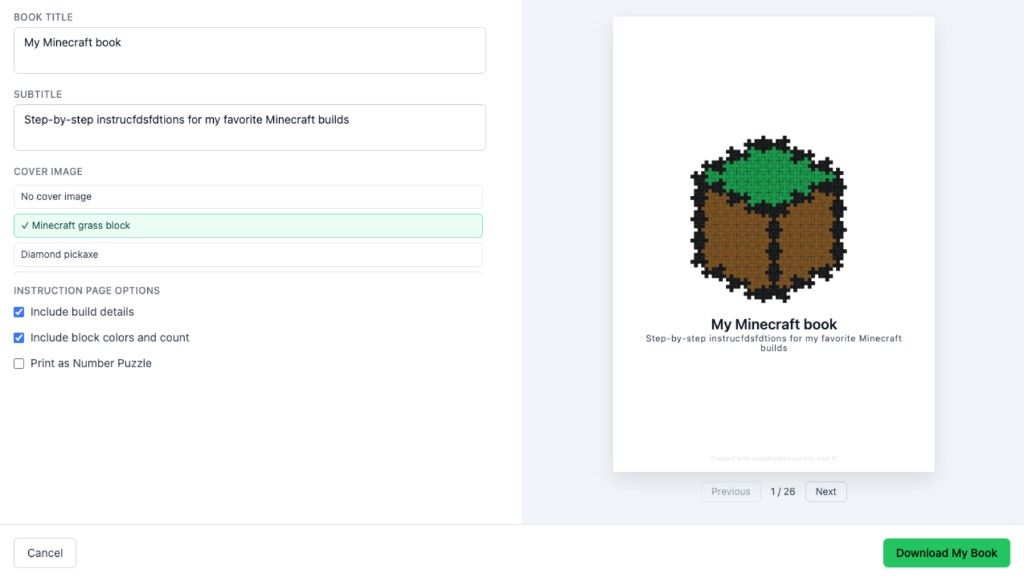
You can customize the front page by adding:
- Your own title
- A subtitle
- A custom cover image
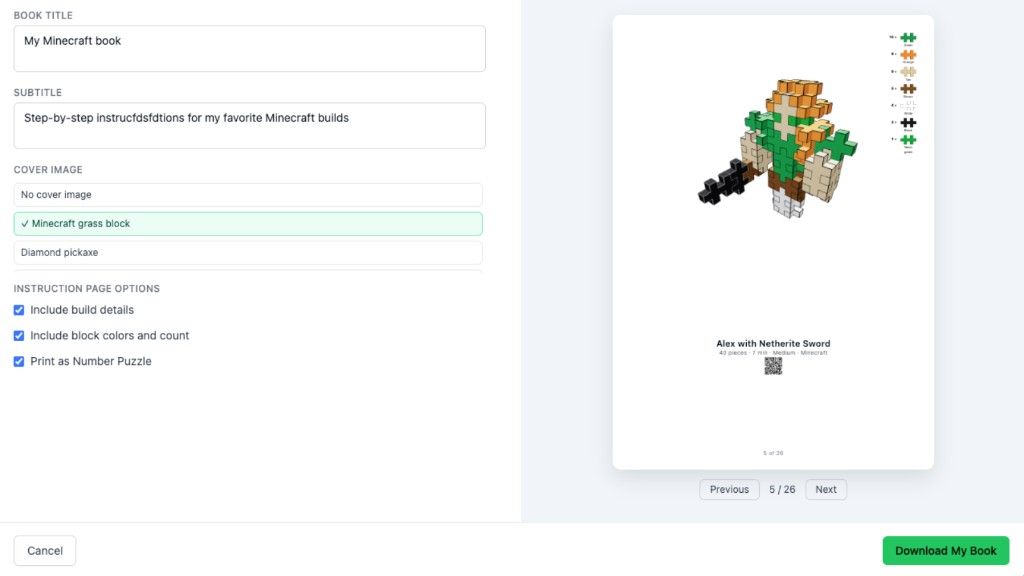
This means every instruction book can feel like your own personal Plus-Plus creation.
For example, I created a Minecraft-themed Plus-Plus instruction book with builds that fit the same theme.
Preview Every Page Before Downloading
Before downloading your book, you can look through a complete preview of all the pages.
This makes it easy to check that everything looks exactly the way you want before creating the final version.
Once you're happy with your book, simply download it and you'll have your own collection of Plus-Plus instructions ready to use.
More Printing Options
I've also added several settings that give you more control over how your instruction book is created.
You can choose options such as:
- Include the required blocks
- Include block counts
- Print 2D builds as Number Puzzles
This gives you more flexibility depending on how you want to use your book.
For example, Number Puzzles can be a fun way to turn Plus-Plus building into a screen-free activity where builders discover the final image as they complete it.
Improved 3D Print Previews
Alongside the new Instruction Book feature, I've also improved the way 3D builds are prepared for printing.
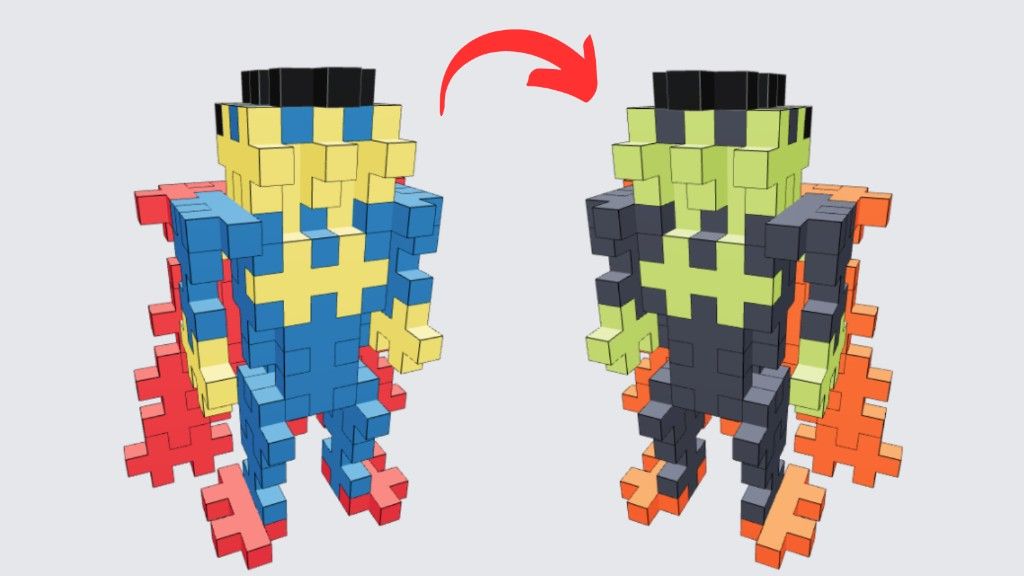
The updated system now creates better preview images for 3D instructions, making printed builds easier to understand and follow.
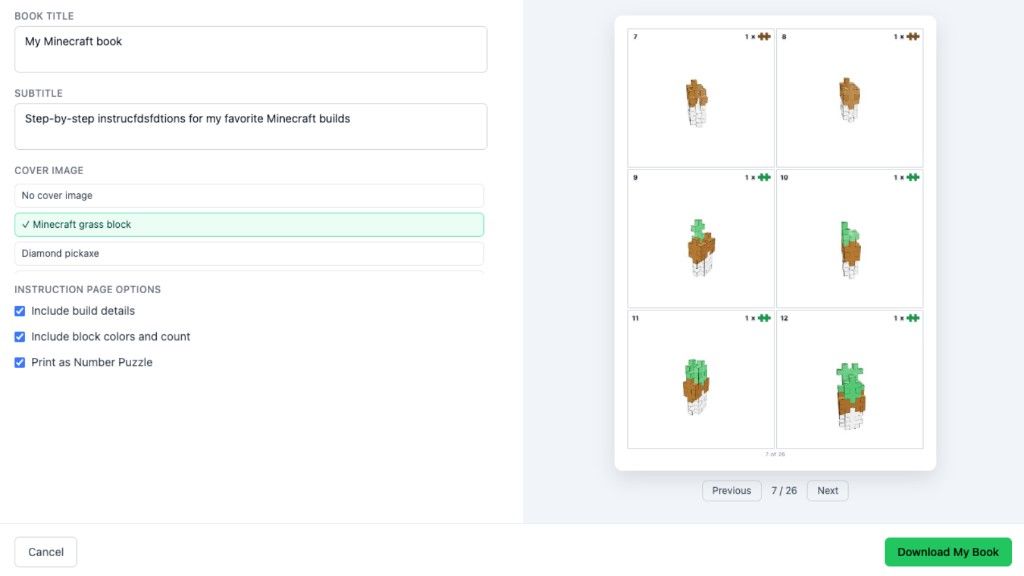
This improvement is included in the new instruction books as well as the existing 3D printing options.
Available in Early Access for Pro Members
Create Instruction Book is currently available in Early Access for Creator Studio Pro members.
If you'd like to try it, you can join Pro with a 7-day free trial and explore the feature for yourself. You can cancel anytime.
Of course, I hope you'll decide to stay! Supporting Creator Studio helps me continue working full-time on new features, improvements, instructions, and creative tools for the Plus-Plus community.
Features like this take a lot of time to develop, and every membership helps make future updates possible. 🙌
Less Screen Time, More Building
One of the things I love most about this feature is that it makes Plus-Plus building easier to enjoy away from a screen.
Create a collection of your favorite builds, print them, and bring them wherever you go.
Whether you're at home, traveling, in a classroom, or simply looking for a screen-free activity, your own personalized instruction book can make it easier to focus on what matters most:
Building and having fun! 🙌
I'm really excited to see what kinds of instruction books you create.
👉 Start creating your Plus-Plus instruction book
Happy building!
About the author