Creator Tools Update: Dark Mode and Replace Colors
Sep 30, 2026 · 3 min read · Plus-Plus Builds
A new Plus-Plus Creator Studio update adds dark mode for 2D and 3D building, faster color replacement, and an option to automatically match colors to your own Plus-Plus collection.
Hey creators! 👋
I have another update for the Plus-Plus Creator Studio building tools, with two new features designed to make creating and editing builds easier.
This update adds Dark Mode to the 2D and 3D builders, along with a new and much faster way to replace colors throughout your creations.
New Dark Mode for the Building Tools
One of the requests I've received is better contrast when working with lighter Plus-Plus colors.
White and other light-colored blocks can sometimes be difficult to see against a light interface, especially when you're working on a detailed build.
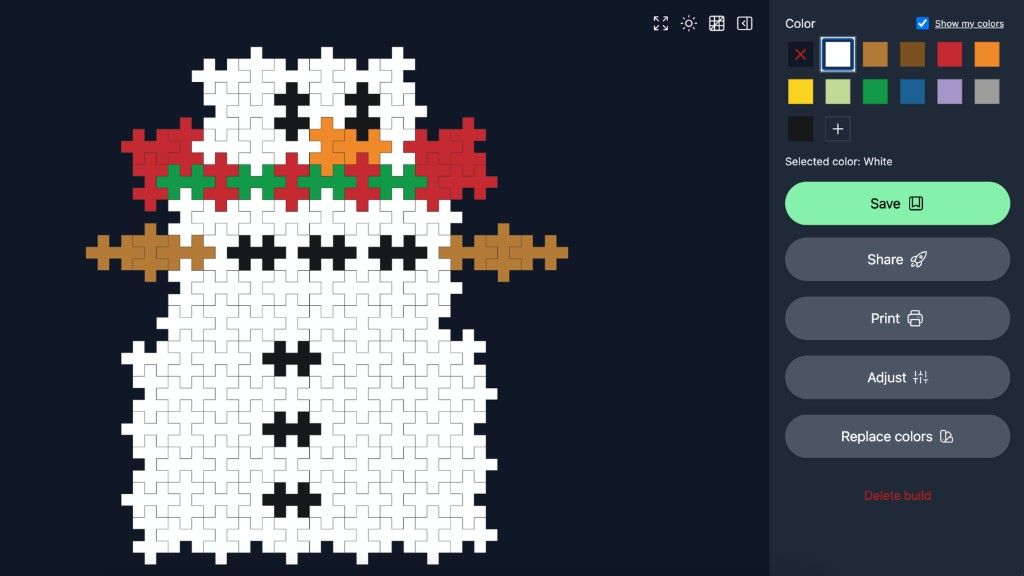
To help with this, I've started adding a Dark Mode to the Creator Studio building tools.
You can find the Dark Mode button in the top-right corner of both the 2D and 3D builders.
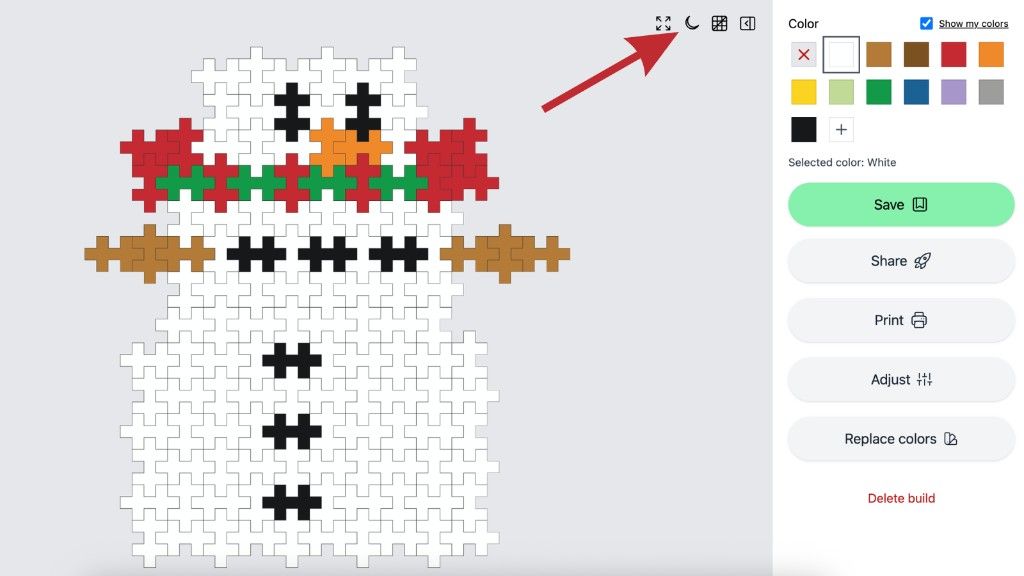
The darker background should make lighter Plus-Plus blocks much easier to see while you're creating.
Of course, this can have the opposite effect with some of the darker colors, so I'm still experimenting with the best way to make all Plus-Plus colors easy to see.
This is an early version, so please try it out and let me know if you think anything should be changed to make the building experience better.
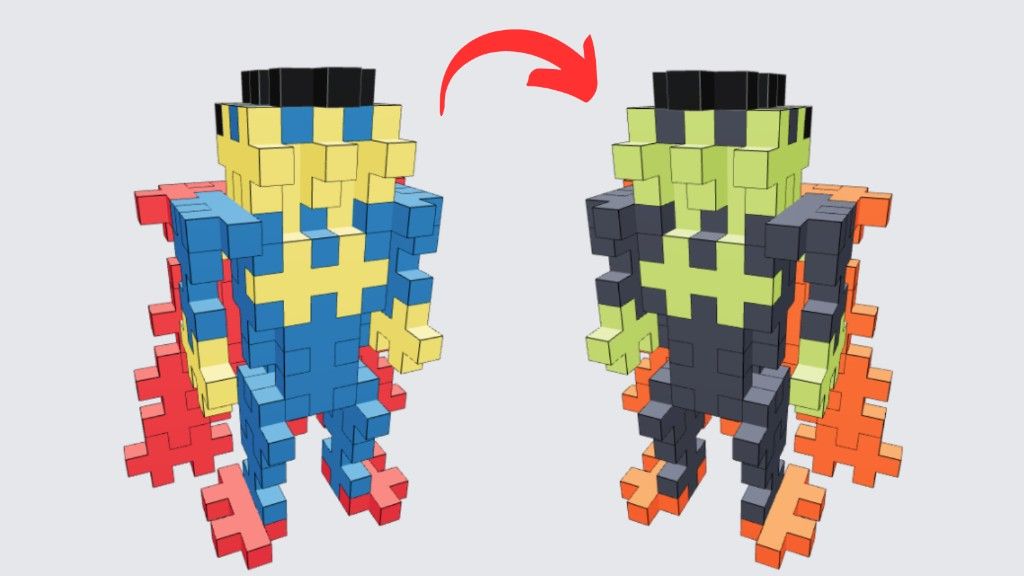
Replace Colors With One Click
The second new feature is designed to make editing colors much faster.
We've had the ability to replace colors in shared builds for a while, but changing many blocks individually can still be quite tedious.
Now there's a new Replace Colors tool that lets you change every instance of a specific color at once.
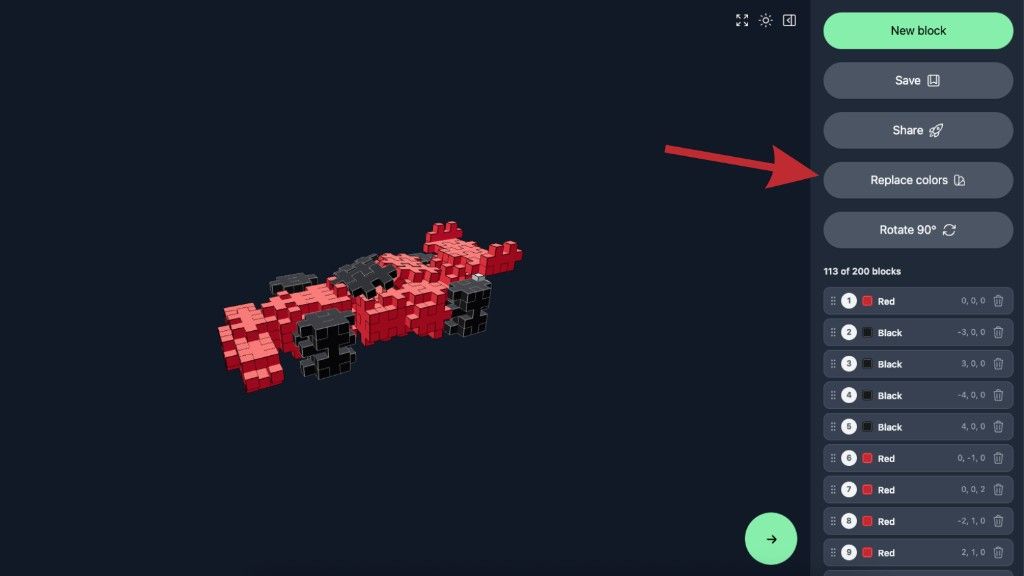
Instead of clicking on every individual block, simply choose the color you want to replace and select the new color.
Every block using that color will be updated automatically.
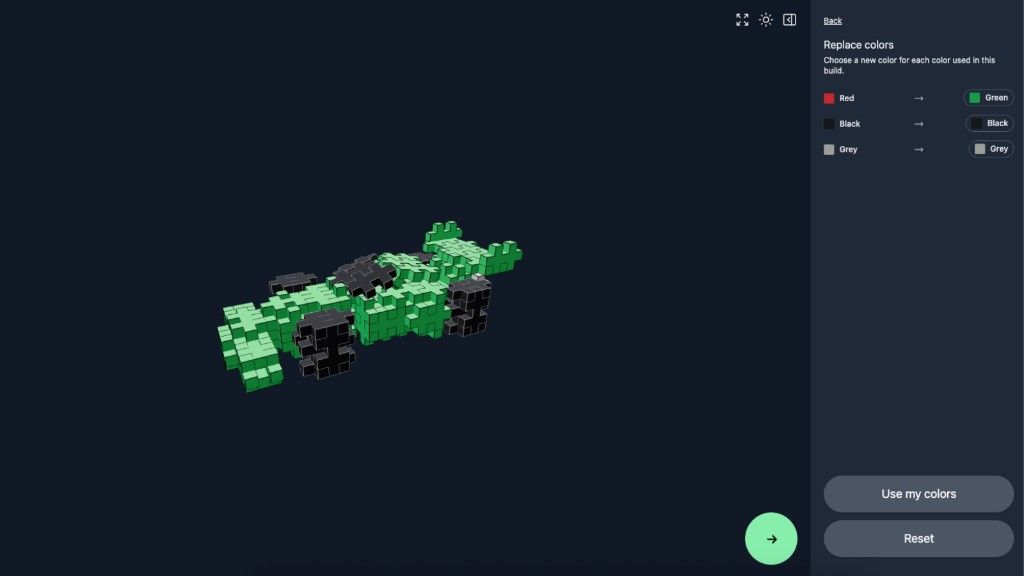
Made a Change You Don't Like?
Don't worry. The Replace Colors tool also includes a Reset option.
This allows you to undo your color replacements while you're experimenting with different combinations.
Once you're happy with the result, simply save your build to make the changes permanent.
Replace Colors With Your Own Collection
There's also another option that I think will be especially useful if you have a limited Plus-Plus collection.
Replace With My Colors
This feature looks at the colors used in your build and automatically replaces them with the closest matching colors from the Plus-Plus blocks in your own collection.
For example, if a build uses a color that you don't own, Creator Studio can find a similar color that you do have and replace it automatically.
This makes it much easier to adapt existing builds to the Plus-Plus pieces you actually have at home.
More Creator Tools Coming
That's all for this Creator Studio update!
I'm continuing to improve the 2D and 3D building tools based on your feedback, so if there's something you'd like to see improved, please let me know.
Your feedback is a big part of deciding which features I work on next.
Thanks for creating, testing, and sharing your builds with the community.
Happy building! 🙌
About the author