Change Any Build to Match Your Tube Colors
Oct 13, 2026 · 3 min read · Plus-Plus Builds
Missing a few Plus-Plus colors? Open Replace colors, pick a Tube Mix you already own, and adapt 3,000+ community builds (including Superman into Zombieman for Halloween) to the blocks you have at home.
Hey creators! 👋
Ever found the perfect Plus-Plus character build, then realized you are missing red, blue, or yellow?
That used to be a real stop sign. Now it does not have to be.
In Creator Studio you can open Replace colors, pick a Tube Mix you already own, and the instructions adapt to the best matching colors automatically.
Your blocks, your colors, your builds.
How to Change Colors on Any Build
Here is the short version:
- Open any 2D or 3D instruction in Creator Studio (there are 3,000+ community builds).
- Click Replace colors in the top toolbar.
- Choose a Tube Mix you already own, or map each color yourself.
- Hit Use my colors when you are happy, or Reset to start over.
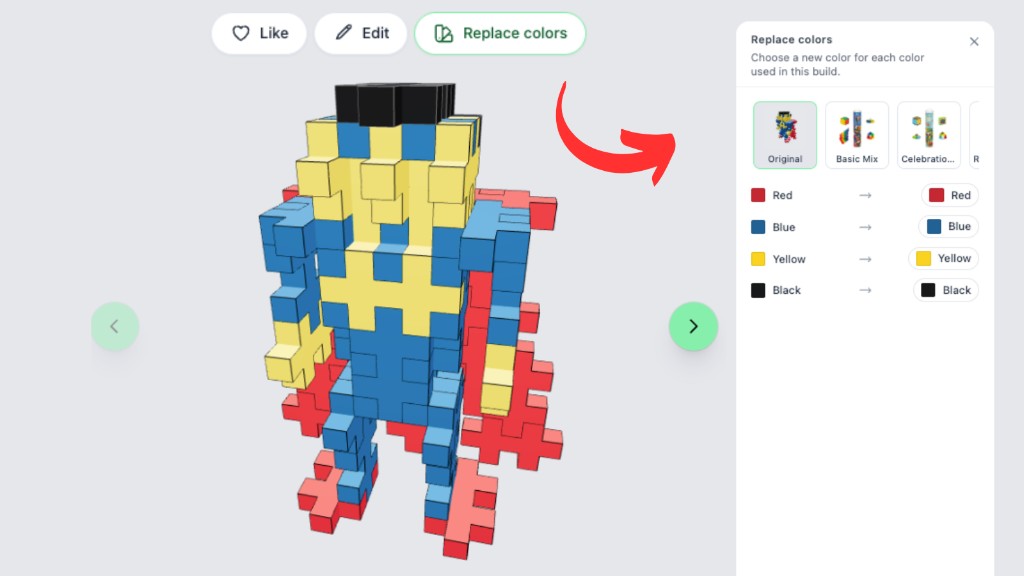
The side panel shows every color used in the build and what it will become. That makes it easy to see, before you commit, whether the new palette still reads well as a character, animal, or vehicle.
Turn Builds Into Halloween Style
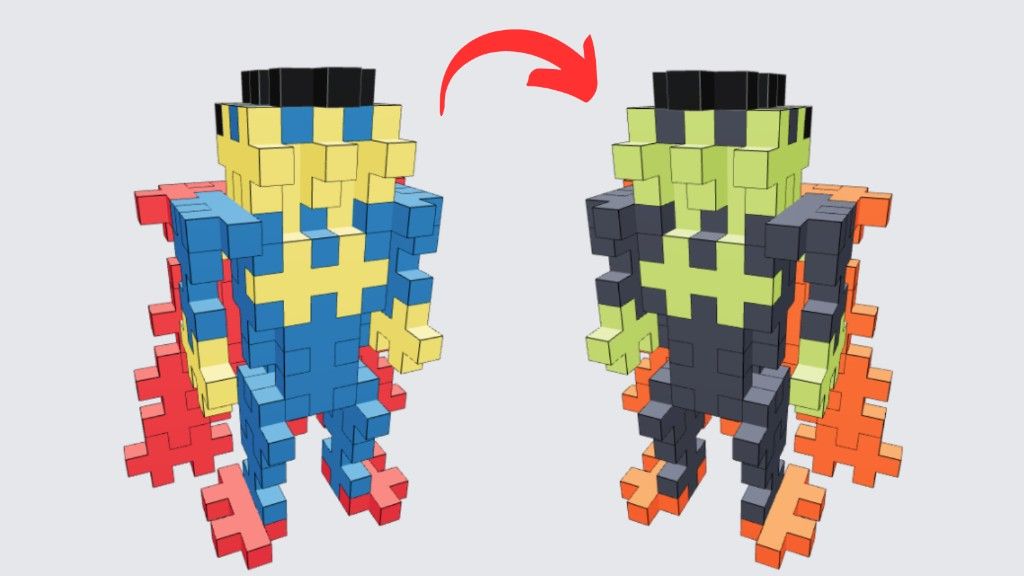
Halloween is the perfect excuse to try this. Take a classic Superman-style build and turn him into Zombieman with the Spooky Mix tube setting.
Lime green skin, smoke-grey suit, neon orange cape and boots: same construction, completely different mood.
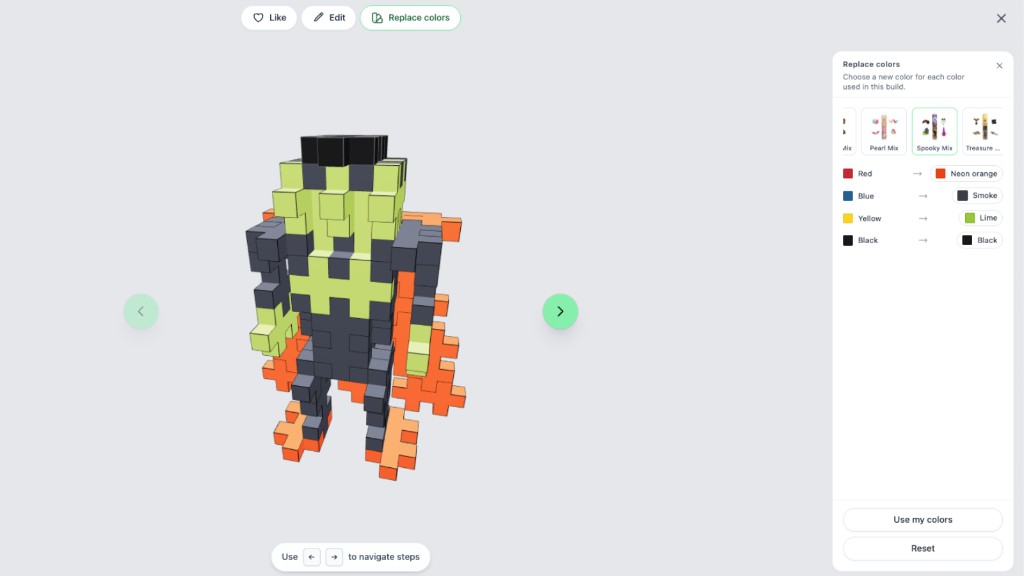
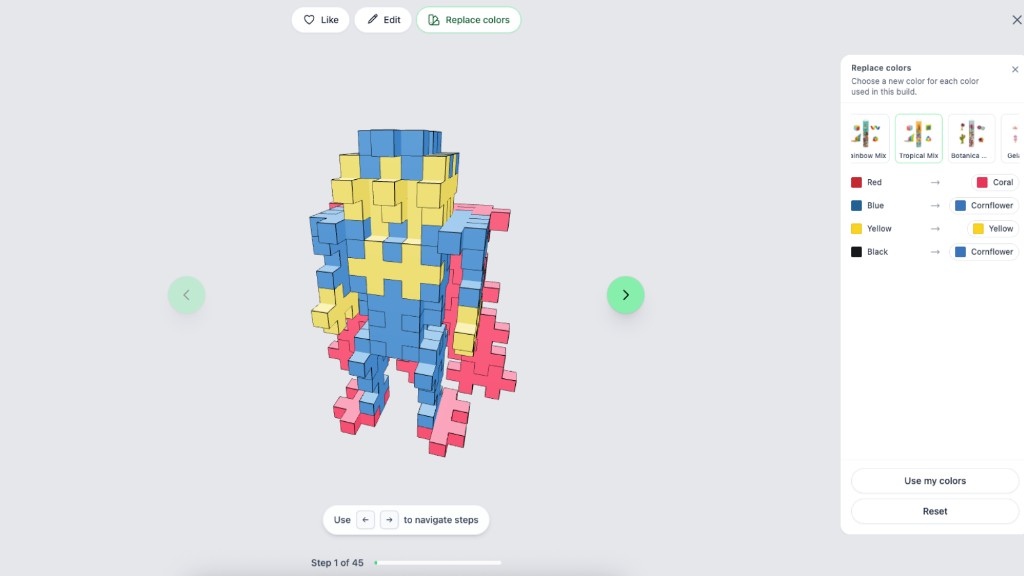
Feeling playful instead of spooky? Try Pastelman, Neonman, Pearlman, Pumpkinman, or my personal favorite: Tropicalman. One click through the Tube Mix row and the whole palette shifts.
Match Builds to Tubes You Already Own
Tube Mix presets are curated to official Plus-Plus tubes, so you can stop hunting for colors you do not have and start building with what is already in the bin.
Prefer a wilder look? Jungle Mix pushes the same Superman build into greens, camel, and coral.
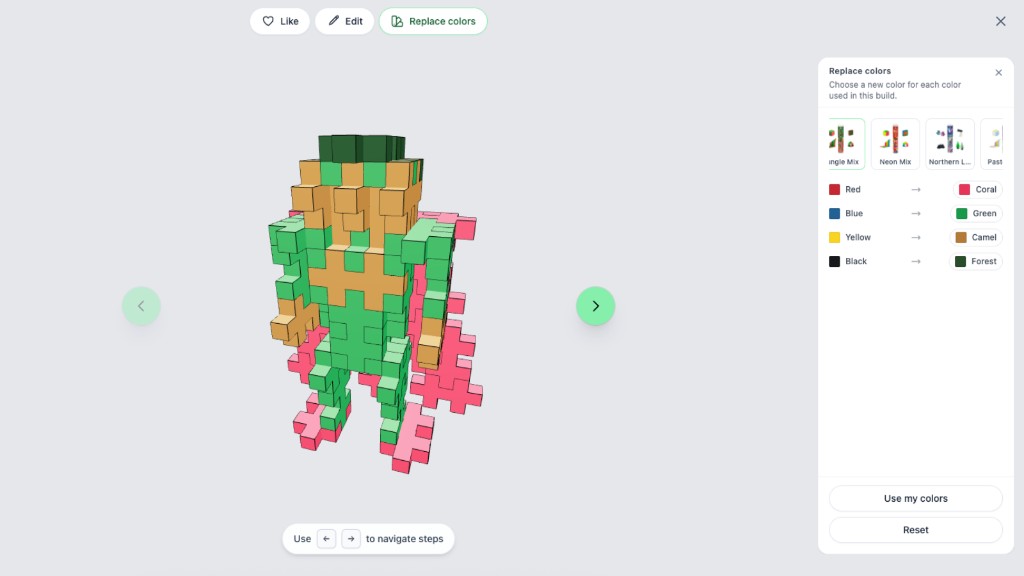
Want something brighter for summer shelves or party tables? Tropical Mix is an easy win for Tropicalman.
Customise Every Color
Presets are a fast start, not a lock-in. If you do not like one of the mapped colors, change it.
Swap a single cape color, keep the hair, soft-swap the skin tone, or rebuild the whole palette into pastels, winter tones, neon, or pearl. The goal is a build that feels like yours and that you can actually assemble with the pieces on your table.
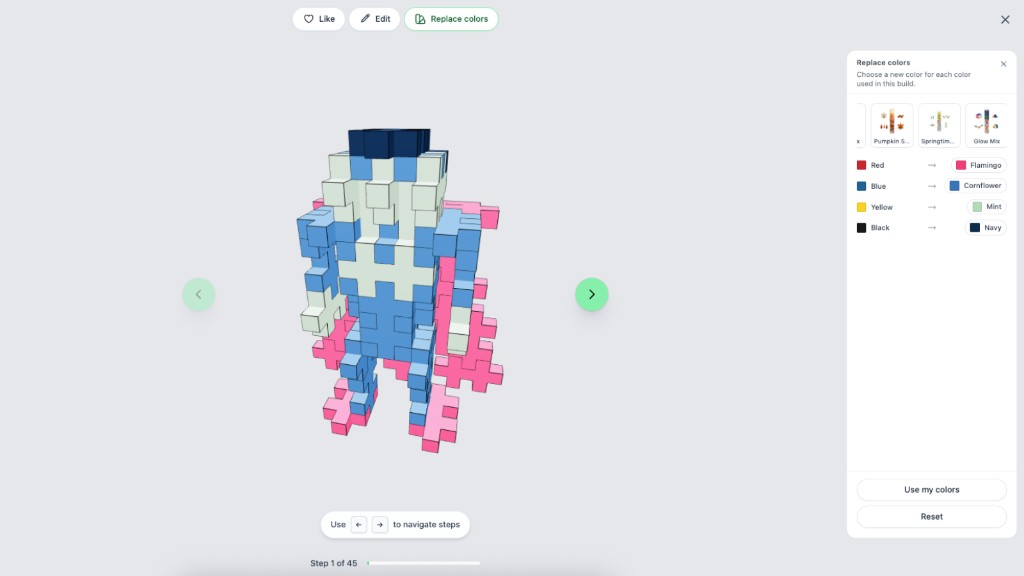
No more excuses for skipping your favorite characters just because a couple of colors are missing.
It Is Free to Try
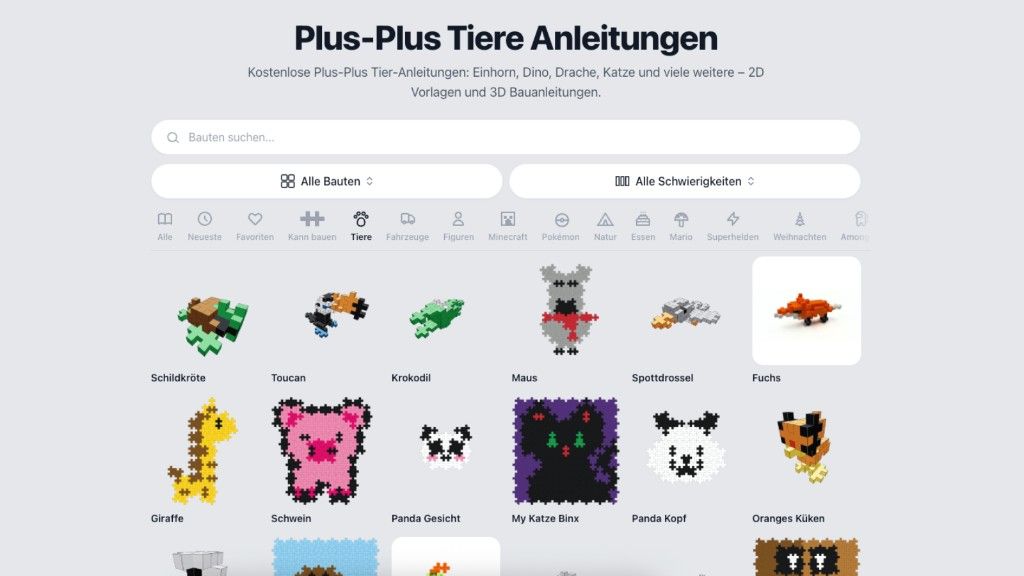
Sign up for Creator Studio and customise every one of our 3,000+ community building instructions, both 2D and 3D, to match the colors you have at home.
Open the Superhero build, click Replace colors, pick Spooky Mix for Halloween (or Tropical Mix for Tropicalman), then fine-tune anything that still looks off.
👉 Open the Superhero build and try Replace colors
Happy building! 🙌
About the author