Change Colors on Any Plus-Plus Build with Creator Studio
May 11, 2026 · 2 min read · Plus-Plus Builds
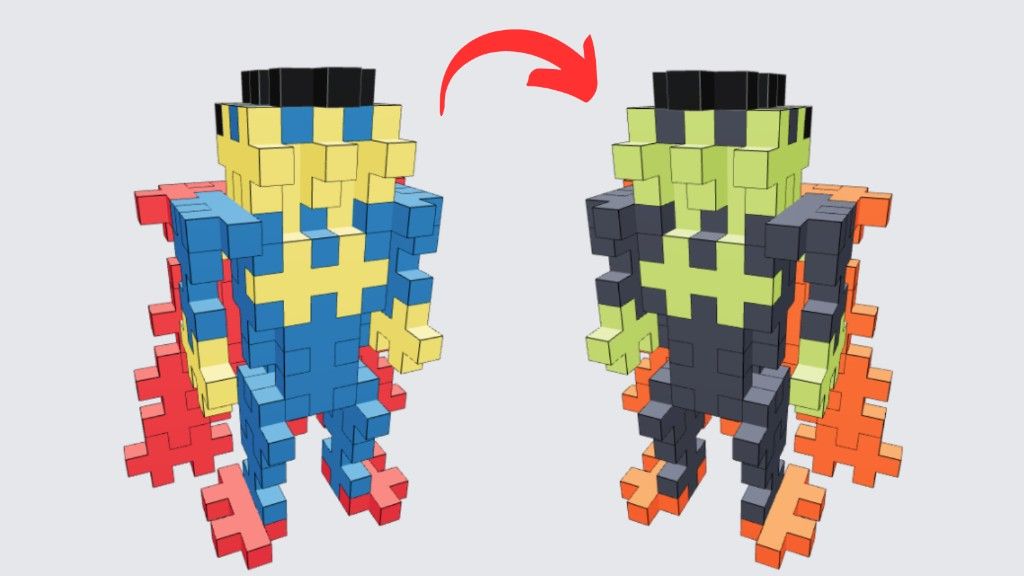
Want to make a Plus-Plus build feel more personal? With Plus-Plus Creator Studio, you can now change the colors of both 2D and 3D builds before building them yourself.
Change Colors on Any Plus-Plus Build
Want to make a Plus-Plus build feel more personal?
With Plus-Plus Creator Studio, you can now change the colors of both 2D and 3D builds before building them yourself.
Mix and match different Plus-Plus colors, experiment with new combinations, and create your own unique version of any design.
Whether you want to match the pieces you already own or simply try a different style, color customization makes every build your own.
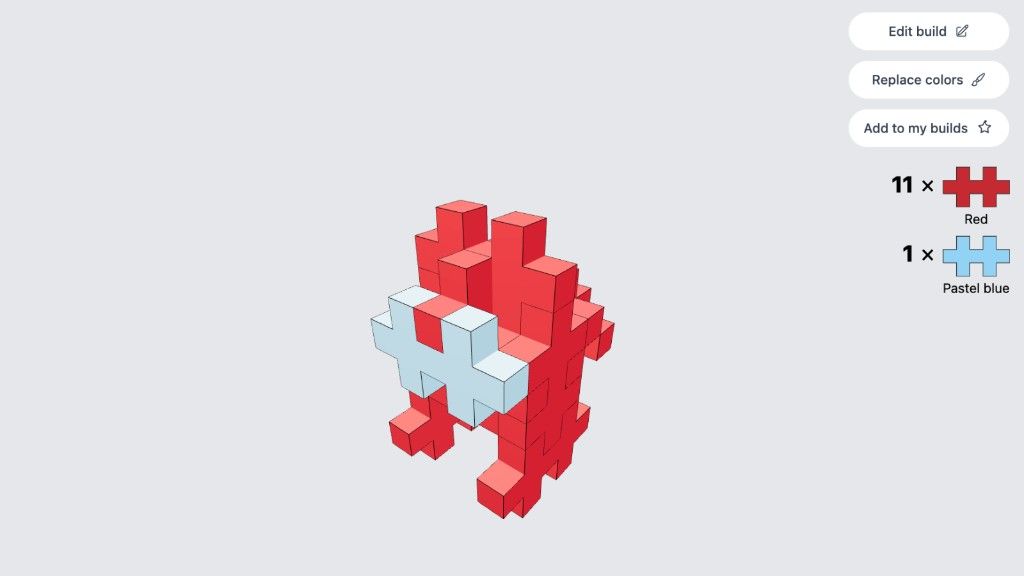
In this post we will try with this Among Us character
How to Change Colors on a Plus-Plus Build
Getting started is simple:
- Join Plus-Plus Creator Studio
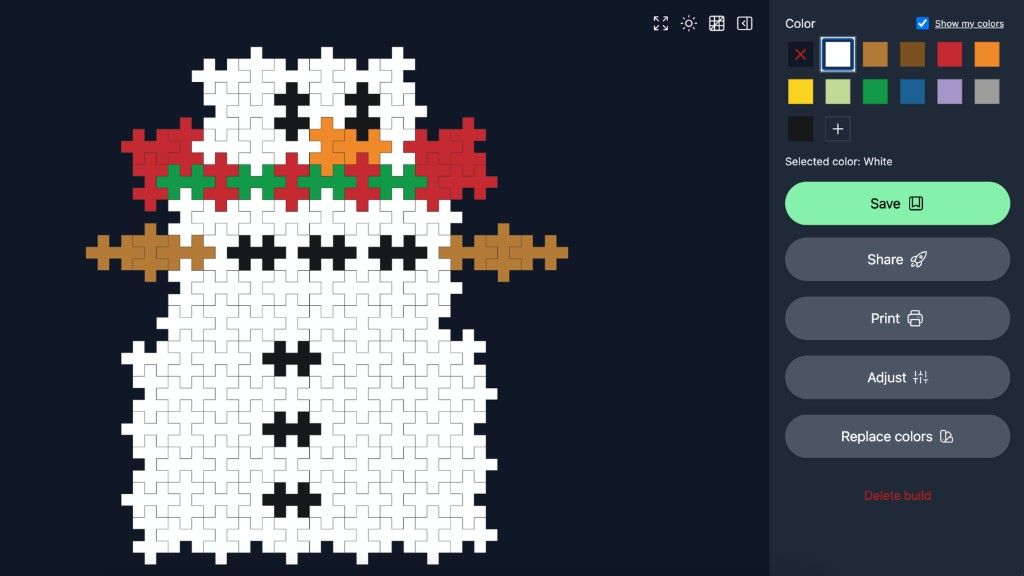
Create a free account if you haven’t already. - Pick a Build
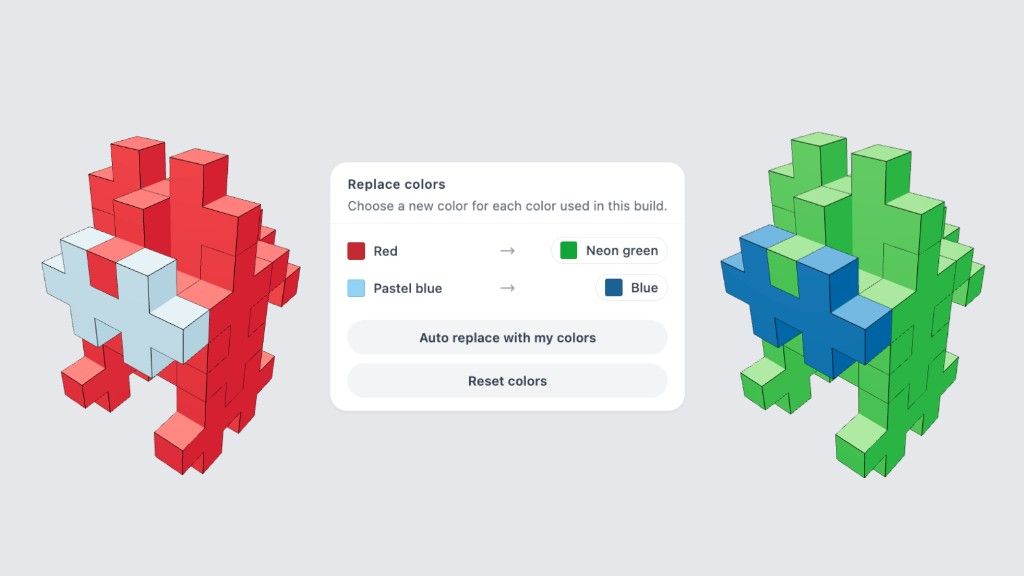
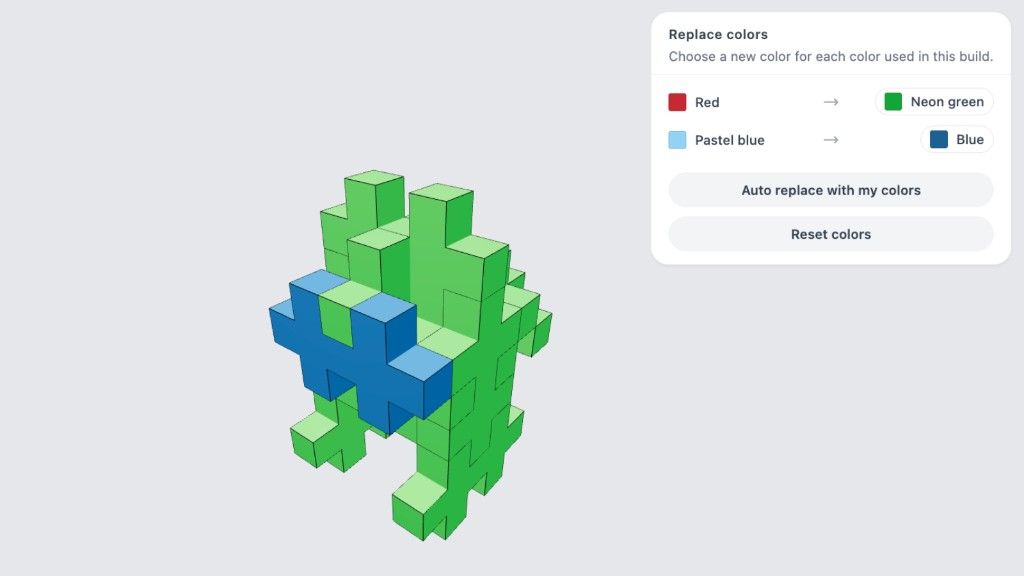
Choose any 2D build or 3D build you like. - Click “Replace Colors”
You’ll now see all the colors currently used in the build. - Select New Colors
Swap colors with your preferred Plus-Plus colors and instantly preview the updated result.
Build with the Plus-Plus Pieces You Already Own
Bonus tip:
If you’ve already added your Plus-Plus collection in Creator Studio, the platform can help you discover builds that match the colors and pieces you already have with the "Auto replac with my colors" button.
This makes it easier to start building right away without needing extra pieces.
Reset Colors Anytime
Want to go back to the original design?
Simply click Reset Colors to restore the original build colors instantly.
Save, Edit, or Print Your Custom Builds
After changing the colors, you can also:
- Save your customized build
- Continue editing later
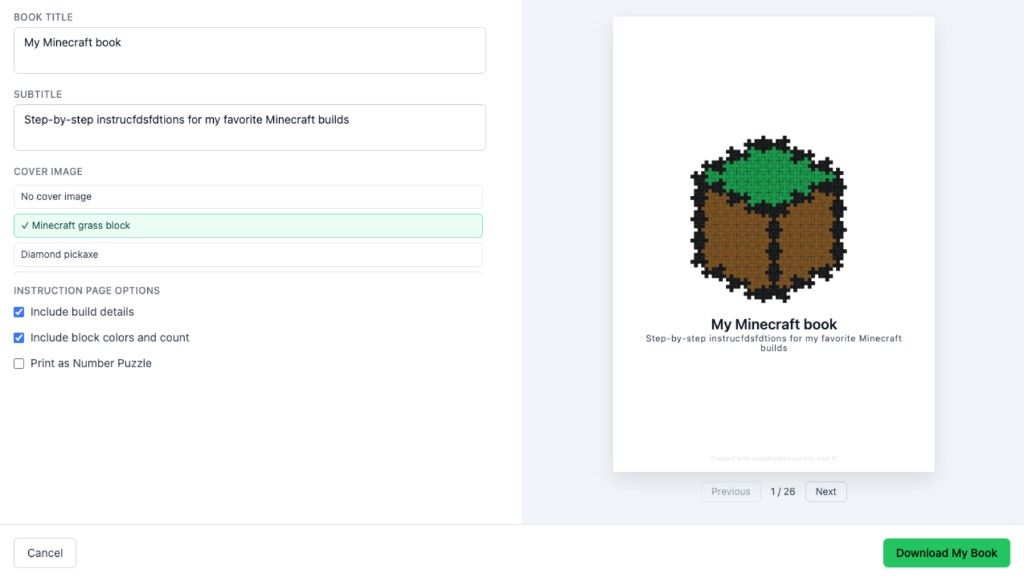
- Print the instructions
- Generate printable PDFs
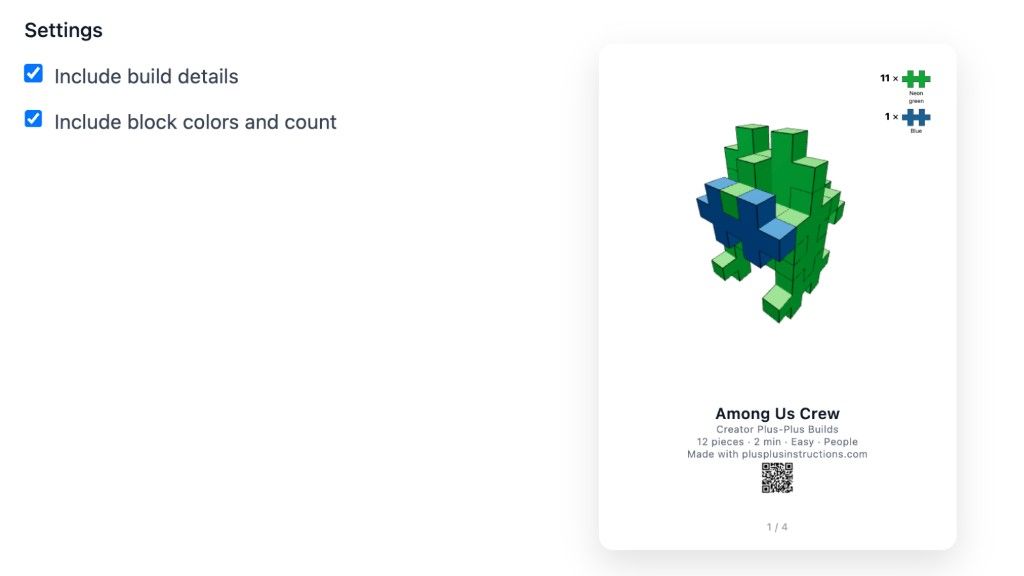
Tip: When you print, include block colors and counts so your custom color version is clearly shown in the printed instructions.
Users with membership can also get early access to the 3D print feature.
This makes it easy to create your own personalized Plus-Plus instruction collection.
Create Your Own Plus-Plus Builds
Plus-Plus Creator Studio is designed to help builders get more creative with their Plus-Plus pieces.
From creating 2D and 3D builds to printable instructions and custom color combinations, it’s all about making building more fun, personal, and creative.
Try it yourself and see what you can create.
About the author